
NGINX Plus licensing workflows
This reference shows how NGINX Plus validates license status and sends usage reports to F5. The workflows include startup, license expiration, and reporting in both online and offline (disconnected) environments.
Select the image to enlarge.
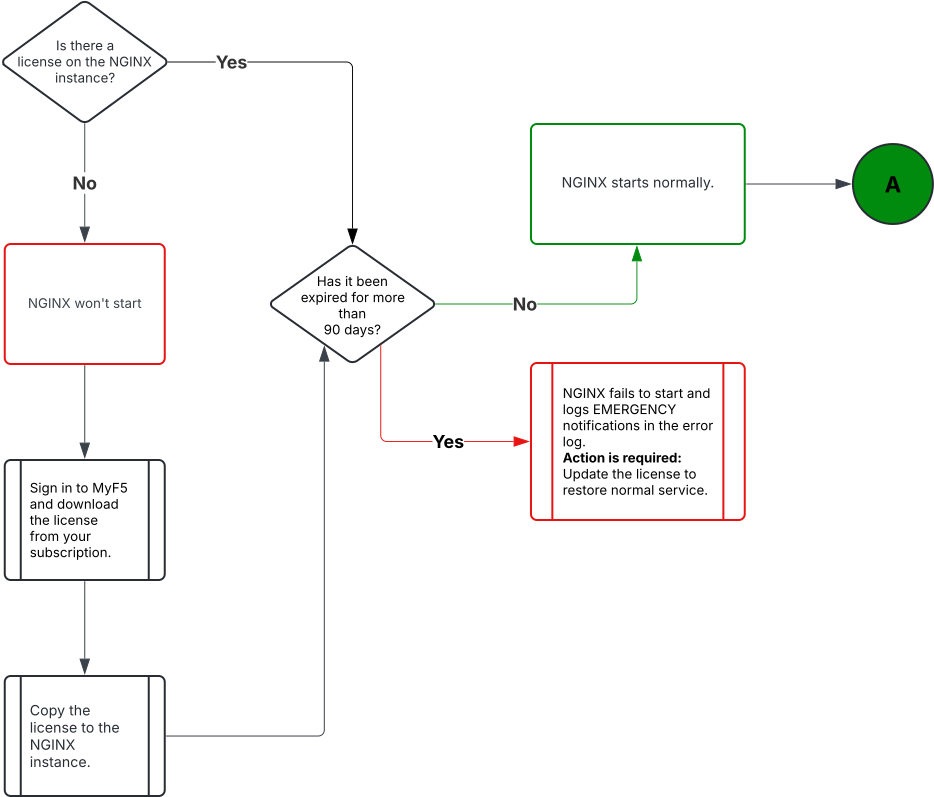
Select the image to enlarge.
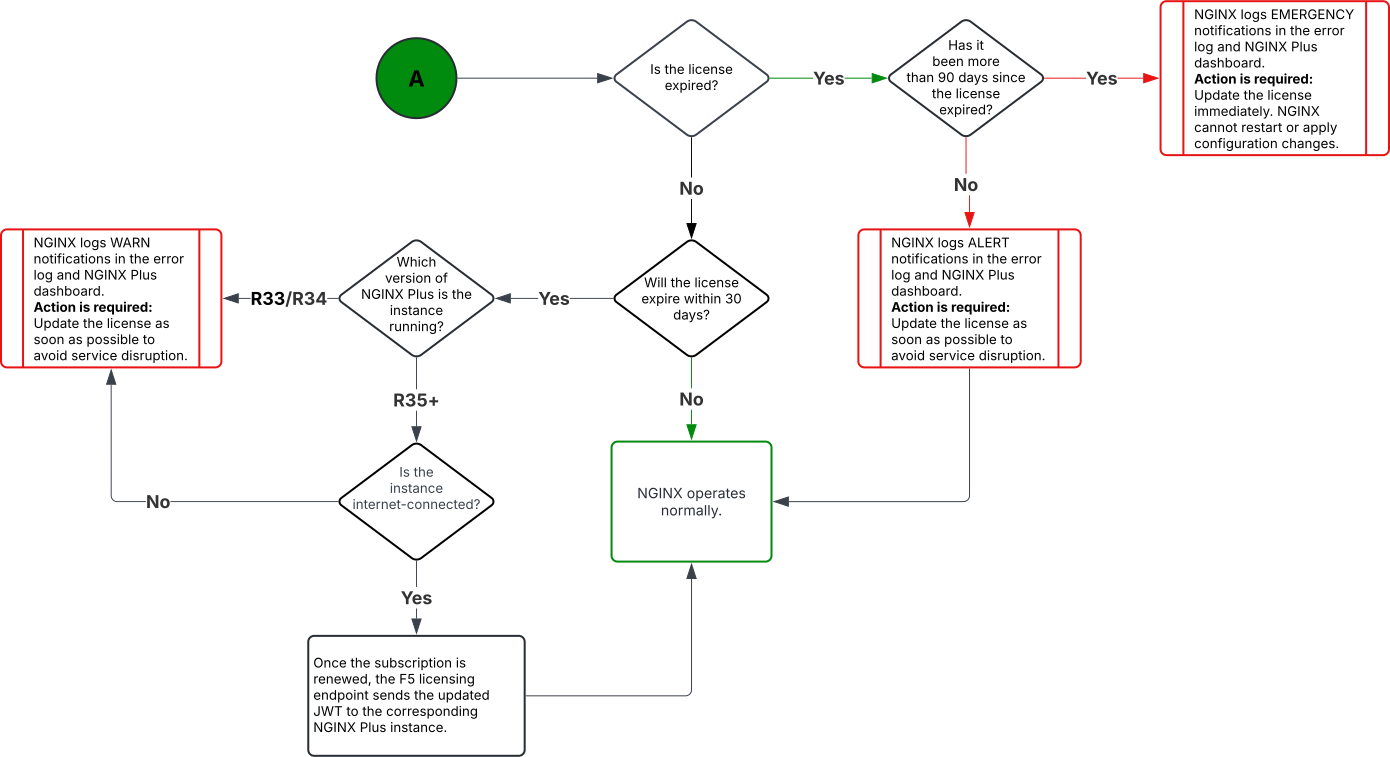
Select the image to enlarge.
Default: every 1 hour.
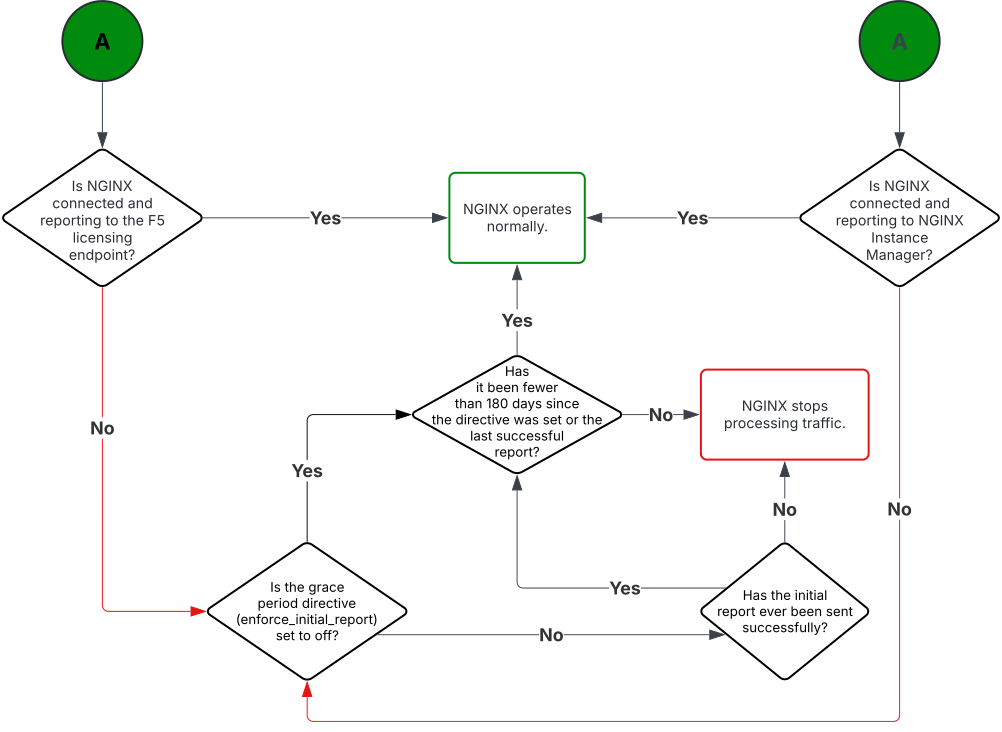
Select the image to enlarge.
Default: every 1 hour.
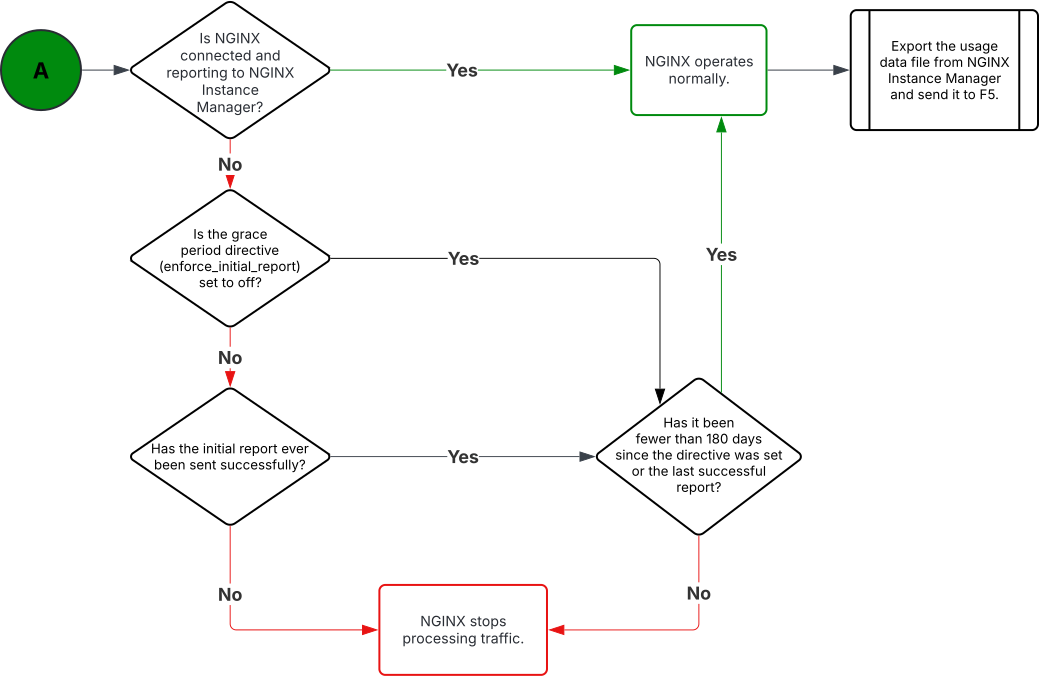
Select the image to enlarge.
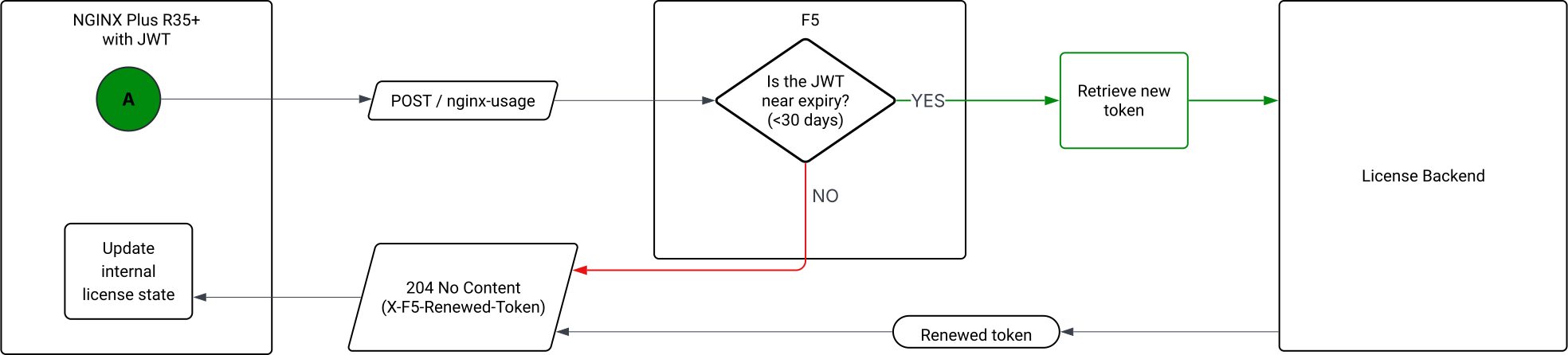
Default: every 1 hour.
FCP subscription renewals require manual JWT updatesIf your subscription was renewed under the Flexible Consumption Program (FCP), automatic JWT renewal isn’t supported. You must apply updated JWT licenses manually at each renewal to make sure NGINX Plus continues to work.
Check your subscription details, including subscription type, on MyF5.
For more information, see K000160880: JWT license auto-renewal may fail in NGINX Plus.